
4.3.1 Purpose
Companies is the organisation’s address book of clients, subcontractors, and suppliers. Records stored here can be reused across projects.
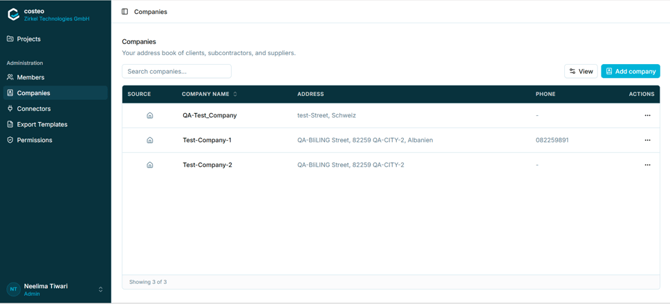
The list shows a source indicator, the company name, address, and phone number. Use Search companies… to filter and View to adjust the displayed columns.
Note: A company is either shared across the workspace, as here, or created for a single project and marked Project-specific. See section 5.13.
4.3.2 Adding a company- Open Administration > Companies.
- Select Add company. The Add company dialog opens.
- Complete the fields: Company name, Street and number, Postal code, City, Country, Phone number, and Tax ID.
- Select Add company to save the record.
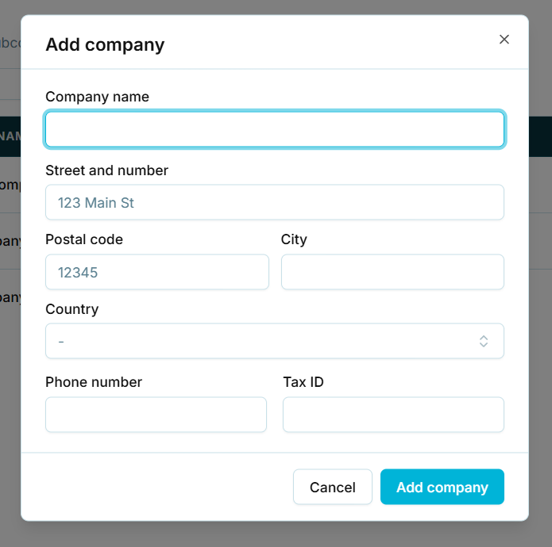
Figure 12 — The Add company dialog
Note: No field in this dialog is marked with a red asterisk, which suggests all fields are optional. Confirm this before publishing — a company record with no name would be a data quality problem.