
4.5.1 Purpose
Export templates are the letterheads applied when reports are generated as PDF. Uploading a template ensures exported documents carry the correct branding.
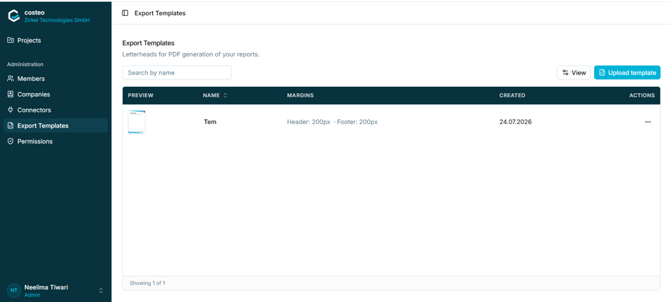
Figure 14 - The Export Templates list
Each row shows a preview thumbnail, the template name, the configured header and footer margins in pixels, and the creation date.
4.5.2 Uploading a template- Open Administration > Export Templates.
- Select Upload template. The Upload template dialog opens.
- Enter a Template name.
- Optionally select Upload logo to add a company logo.
- Upload the letterhead file into the upload area on the right.
- Set the Set as default template toggle if this template should be applied automatically.
- Select Save.
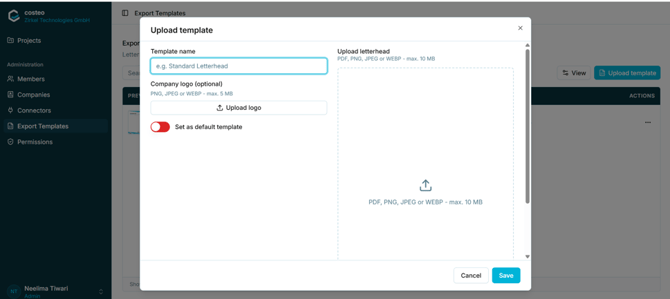
Figure 15 - The Upload template dialog
4.5.3 File requirements|
Upload |
Accepted formats |
Maximum size |
|
Letterhead |
PDF, PNG, JPEG, WEBP |
10 MB |
|
Company logo (optional) |
PNG, JPEG, WEBP |
5 MB |