
After signing in, the workspace opens on the Projects list. The screen is divided into a fixed navigation sidebar on the left and a content area on the right.
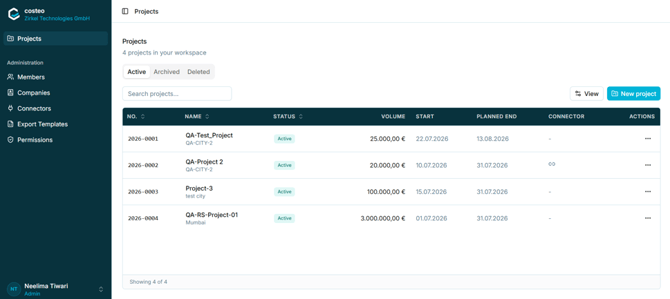
Figure 5 - The Projects list and the main navigation sidebar
The sidebar contains the following elements:
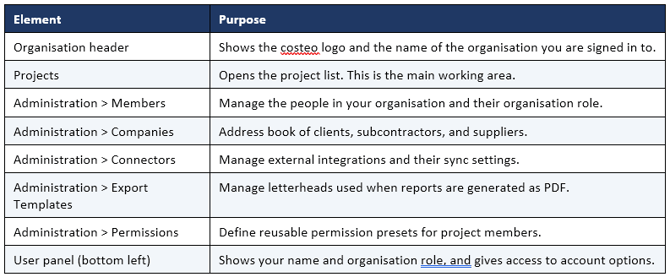
Note: The Administration section is only relevant to users with the appropriate organisation role. Members with limited rights may not see all of these entries.